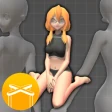
If you've ever dabbled in digital art or just wanted to bring your sketchbook to life, Easy Pose is a game-changer. This app is like having a portable art studio right in your pocket, allowing you to create and manipulate 3D human models with ease. But let's dive deeper, shall we?
Getting Started with Easy Pose
First things first, setting up Easy Pose is a breeze. Once installed, you’re greeted with a straightforward interface that’s both user-friendly and visually appealing. It’s like the app just gets what you need without any fuss. For beginners, there are handy tutorials to get you up to speed, and for the pros, countless customization options await.
Features That Stand Out
This app isn’t just about posing models; it’s packed with features that make it a must-have for artists. You can choose from a variety of body types, and the range of poses is practically limitless. The app offers a realistic anatomy that can be adjusted with simple gestures. Want your model to strike a dynamic pose? Just a few taps and you’re there!
One of the coolest features is the ability to adjust lighting and shadows. This helps in understanding how lighting affects your model, an invaluable tool for artists focusing on realism. Plus, the multi-view mode lets you see your model from different angles, ensuring every detail is just right.
Why Artists Love It
Artists adore Easy Pose for its versatility. Whether you’re a comic artist, a painter, or someone who just loves to sketch, this app provides the perfect reference at your fingertips. It saves you the hassle of using multiple reference photos, and you can even save your favorite poses for future projects.
Have I mentioned the joint control? It’s superb! You can manipulate each joint of the model with precision, which is an absolute delight for those detailed projects. It’s like having a digital mannequin that listens to every command.
Room for Improvement?
Of course, no app is perfect. While Easy Pose offers a plethora of features, it can sometimes feel a bit overwhelming for newbies. The learning curve is there, but once you get the hang of it, it’s smooth sailing. Also, while the free version is quite generous, some of the more advanced features are locked behind a paywall.
Another point to note is that while the app is quite stable, it occasionally experiences lag when rendering complex poses. This isn’t a deal-breaker, but something to keep in mind if you're working on intricate designs.
Final Thoughts
In a nutshell, Easy Pose is a fantastic tool for artists at any level. It combines functionality with creativity, making it easier than ever to bring your artistic visions to life. Whether you're sketching out a quick idea or working on a detailed masterpiece, this app has got your back. So, why not give it a spin? It might just become your new favorite app in your creative arsenal!